MQTTの検索
MQTTでデータベースクエリを実行するには、db/queryトピックにリクエストを送信します。サーバーは、db/replyトピック、またはリクエストのreplyフィールドで指定したトピックに結果を返します。
クエリJSON
| パラメーター | 既定値 | 説明 |
|---|---|---|
| q | n/a | 実行するSQLクエリ文字列 |
| p | 省略可能。SQLプレースホルダーに渡すバインドパラメーターです。 - ?の位置パラメーター(JSON配列):["name", 1234]
Since v8.0.75- :nameの名前付きパラメーター(JSONオブジェクト):{"name": "wave.sin", "n": 5}
Since v8.7.0 | |
| db | 省略可能。複数データベース環境で使用する対象データベース名です。 Since v8.7.0 | |
| reply | db/reply | クエリ結果を受信するトピック |
| format | json | 結果形式:json、csv、box |
| timeformat | ns | 時刻の単位:s、ms、us、ns |
| tz | UTC | タイムゾーン:UTC、Local、地域指定 |
| compress | 圧縮なし | 圧縮方式:gzip |
| rownum | false | 行番号を含めるかどうか:true、false |
format=jsonで使用できる追加パラメーター
Since v8.0.12
以下のオプションは、format=jsonの場合にのみ使用できます。
| パラメーター | 既定値 | 説明 |
|---|---|---|
| transpose | false | 行配列の代わりに、列配列(cols)を生成します。 |
| rowsFlatten | false | JSONオブジェクトのrowsフィールドの配列次元を1つ減らします。 |
| rowsArray | false | 各レコードをオブジェクトとする配列のJSONを生成します。 |
format=csvで使用できるパラメーター
| パラメーター | 既定値 | 説明 |
|---|---|---|
| header | skipを指定するとヘッダーを含めません。 | |
| precision | -1 | 浮動小数点数の桁数:-1は丸めなし、0は整数 |
基本例では、クライアントがdb/reply/#を購読し、replyにdb/reply/my_queryを指定してdb/queryトピックにクエリを発行します。これにより、複数のメッセージから自身への応答を識別できます。バインドプレースホルダーを使用する場合は、pフィールドに?用のJSON配列を指定します。
{
    "q": "select name,time,value from example where name = ? limit ?",
    "p": ["my-car", 5],
    "format": "csv",
    "reply": "db/reply/my_query"
}または、:nameの名前付きパラメーター用のJSONオブジェクトを指定します。
Since v8.7.0
{
    "q": "select name,time,value from example where name = :name limit :n",
    "p": {"name": "my-car", "n": 5},
    "format": "csv",
    "reply": "db/reply/my_query"
}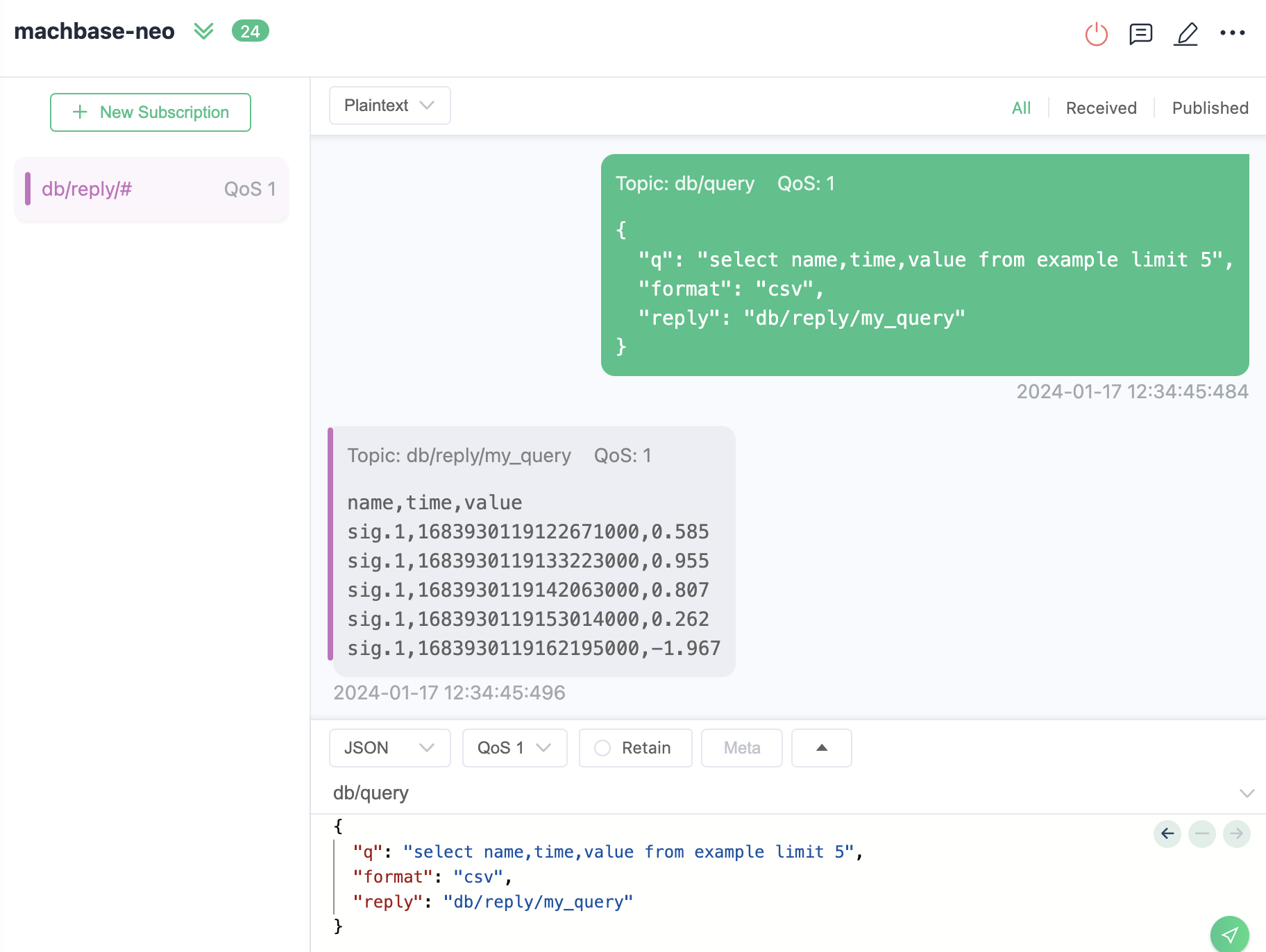
MQTTでクエリを実行して応答を受信する例(MQTTX.appを使用)
クライアントの例
JSHアプリ
Since v8.5.0この例では、応答トピックを購読し、SQLクエリを発行して、MQTTで結果を受信する手順を説明します。
応答トピックの購読
まず、db/reply/my_queryのような結果を受信するトピックを購読します。SQLクエリの発行
SQLクエリ(q)、結果形式(format)、応答トピック(reply)を含むメッセージを、db/queryトピックに発行します。応答の受信と処理
サーバーはクエリを処理し、指定した応答トピックに結果を送信します。クライアントはメッセージを受信して結果を出力します。
JSHのサンプルコード:
| |
実行と結果出力:
/work > ./mqtt_query.js
---- subscribe: db/reply/my_query ----
---- publish: db/query ----
---- reply ----
name,time,value
my-car,1782260468085501458,1.2345
my-car,1782260474814668541,1.35795
my-car,1782260474827077041,1.4814
my-car,1782260474839257291,1.60485

---- unsubscribed: db/reply/my_query reason: 0 ----
---- disconnected ----
Node.js クライアント
npm install mqtt --save | |
$ node main.js

+----------+-------+
| TIME     | VALUE |
+----------+-------+
| 05:46:19 | 69.4  |
| 05:46:22 | 26.4  |
| 05:46:25 | 42.8  |
+----------+-------+
Go クライアント
応答の構造定義
type Result struct {
	Success bool       `json:"success"`
	Reason  string     `json:"reason"`
	Elapse  string     `json:"elapse"`
	Data    ResultData `json:"data"`
}

type ResultData struct {
	Columns []string `json:"columns"`
	Types   []string `json:"types"`
	Rows    [][]any  `json:"rows"`
}db/replyの購読
| |
‘db/query’への発行
jsonStr := `{ "q": "select * from EXAMPLE order by time desc limit 5" }`
client.Publish("db/query", 1, false, []byte(jsonStr))
最終更新日