MQTT 조회
MQTT에서 데이터베이스 쿼리를 실행하려면 db/query 토픽으로 요청을 보내십시오. 서버는 db/reply 토픽 또는 요청의 reply 필드에 지정한 토픽으로 결과를 돌려줍니다.
쿼리 JSON
| param | default | description |
|---|---|---|
| q | n/a | 실행할 SQL 쿼리 문자열 |
| p | 선택 사항. SQL 플레이스홀더에 전달할 바인드 파라미터입니다. - ? 위치 지정 파라미터(JSON 배열): ["name", 1234]
Since v8.0.75- :name 네임드 파라미터(JSON 객체): {"name": "wave.sin", "n": 5}
Since v8.7.0 | |
| db | 선택 사항. 멀티 데이터베이스 환경에서 사용할 대상 데이터베이스 이름입니다. Since v8.7.0 | |
| reply | db/reply | 쿼리 결과를 받을 토픽 |
| format | json | 결과 형식: json, csv, box |
| timeformat | ns | 시간 단위: s, ms, us, ns |
| tz | UTC | 시간대: UTC, Local, 지역 지정 |
| compress | no compression | 압축 방식: gzip |
| rownum | false | 행 번호 포함 여부: true, false |
format=json에서 사용 가능한 추가 매개변수
Since v8.0.12
다음 옵션은 format=json일 때만 사용할 수 있습니다.
| param | default | description |
|---|---|---|
| transpose | false | 행 대신 열 배열(cols)을 생성합니다. |
| rowsFlatten | false | JSON 객체의 rows 필드 차원을 한 단계 줄입니다. |
| rowsArray | false | 각 레코드를 객체 배열로 구성한 JSON을 생성합니다. |
format=csv에서 사용 가능한 매개변수
| param | default | description |
|---|---|---|
| header | skip을 지정하면 헤더를 포함하지 않습니다. | |
| precision | -1 | 부동소수점 자릿수: -1은 반올림 없음, 0은 정수 |
기본 예시는 클라이언트가 db/reply/#를 구독한 뒤 reply 필드를 db/reply/my_query로 지정해 db/query 토픽으로 쿼리를 발행하고, 여러 메시지 중 자신의 응답만 구분하는 방법을 보여 줍니다. 바인드 플레이스홀더를 사용할 때는 p 필드에 ?를 위한 JSON 배열을 지정합니다.
{
    "q": "select name,time,value from example where name = ? limit ?",
    "p": ["my-car", 5],
    "format": "csv",
    "reply": "db/reply/my_query"
}
또는 :name 네임드 파라미터를 위한 JSON 객체를 지정합니다.
Since v8.7.0
{
    "q": "select name,time,value from example where name = :name limit :n",
    "p": {"name": "my-car", "n": 5},
    "format": "csv",
    "reply": "db/reply/my_query"
}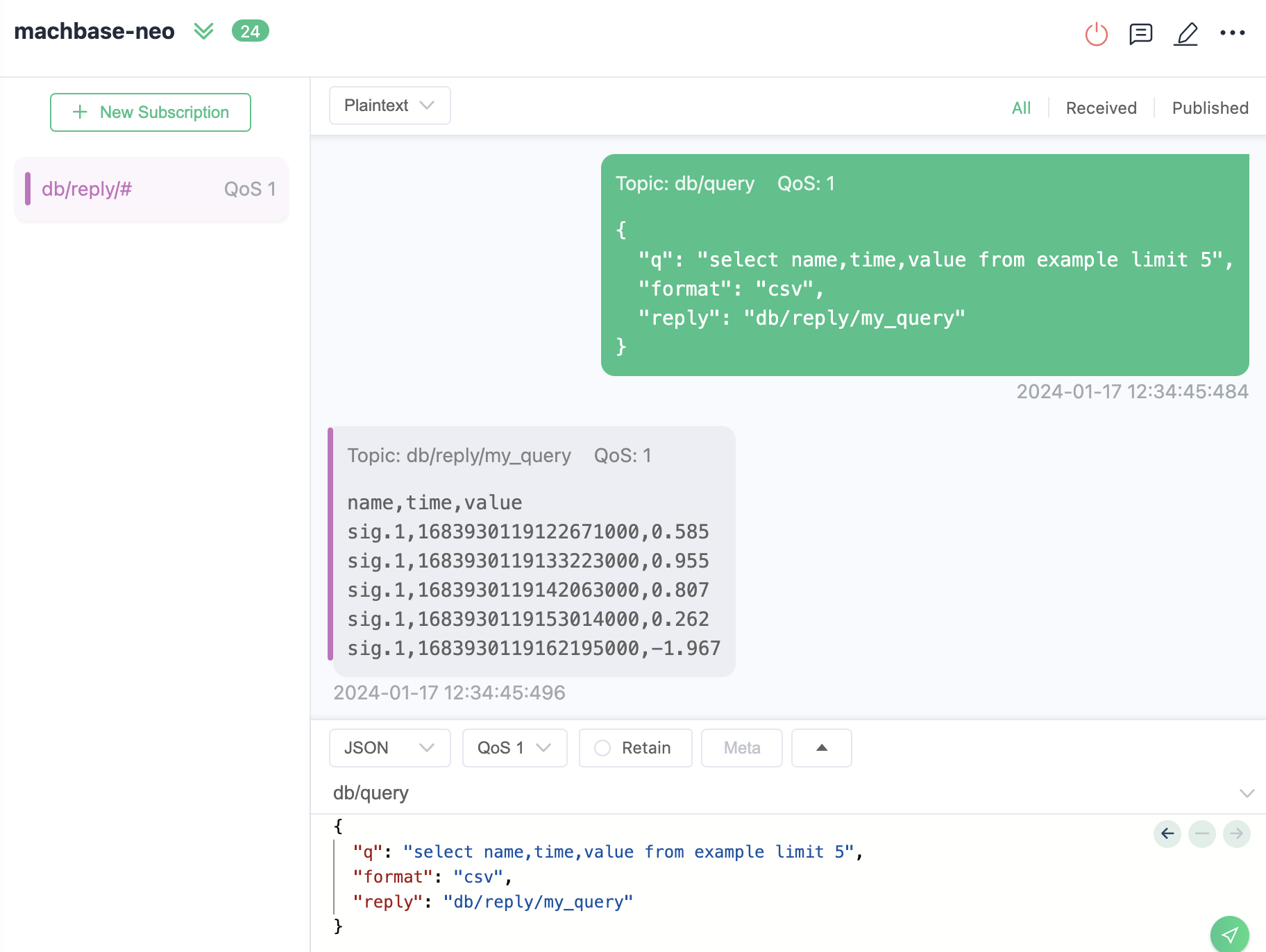
A demonstration shows how to query and receive responses over MQTT. (Using MQTTX.app)
클라이언트 예시
JSH 앱
Since v8.5.0이 예제에서는 응답 토픽을 구독하고 SQL 쿼리를 발행한 뒤 MQTT를 통해 결과를 받는 과정을 살펴봅니다.
응답 토픽 구독
먼저db/reply/my_query처럼 결과를 받을 토픽을 구독합니다.SQL 쿼리 발행
db/query토픽으로 SQL 쿼리(q), 결과 형식(format), 응답 토픽(reply)을 포함한 메시지를 발행합니다.응답 수신 및 처리
서버가 쿼리를 처리하면 지정한 응답 토픽으로 결과를 전송합니다. 클라이언트는 메시지를 받아 결과를 출력합니다.
JSH 예시 코드:
| |
실행과 결과 출력:
/work > ./mqtt_query.js
---- subscribe: db/reply/my_query ----
---- publish: db/query ----
---- reply ----
name,time,value
my-car,1782260468085501458,1.2345
my-car,1782260474814668541,1.35795
my-car,1782260474827077041,1.4814
my-car,1782260474839257291,1.60485

---- unsubscribed: db/reply/my_query reason: 0 ----
---- disconnected ----
Node.js 클라이언트
npm install mqtt --save | |
$ node main.js

+----------+-------+
| TIME     | VALUE |
+----------+-------+
| 05:46:19 | 69.4  |
| 05:46:22 | 26.4  |
| 05:46:25 | 42.8  |
+----------+-------+
Go 클라이언트
응답 구조 정의
type Result struct {
	Success bool       `json:"success"`
	Reason  string     `json:"reason"`
	Elapse  string     `json:"elapse"`
	Data    ResultData `json:"data"`
}

type ResultData struct {
	Columns []string `json:"columns"`
	Types   []string `json:"types"`
	Rows    [][]any  `json:"rows"`
}
db/reply 구독
| |
Publish ‘db/query’
jsonStr := `{ "q": "select * from EXAMPLE order by time desc limit 5" }`
client.Publish("db/query", 1, false, []byte(jsonStr))