파형 데이터 만들기
이 튜토리얼은 순수 셸 스크립트만으로 데이터베이스에 데이터를 쓰고 읽는 방법을 설명합니다.
CREATE TAG TABLE IF NOT EXISTS EXAMPLE  (
    NAME VARCHAR(20) PRIMARY KEY,
    TIME DATETIME BASETIME,
    VALUE DOUBLE SUMMARIZED
);
데이터 쓰기
machbase-neo에 데이터를 쓰는 가장 간단한 방법은 명령줄 도구 machbase-neo shell을 사용하는 것입니다.
이 도구를 이용해 테이블을 가져오고(import), 내보내고(export), 조회할 수 있습니다.
데이터 생성
예시에서는 1초마다 사인/코사인값을 출력하는 간단한 셸 스크립트를 사용합니다.
아래 스크립트를 복사해 gen_wave.sh로 저장하십시오.
#!/bin/bash
angle=0
step_angle=24
sinval=0
cosval=0
PI=3.14159

while [ 1 ]
do
    ts=`date +"%s"`
    sinval=$(awk "BEGIN{ printf \"%.6f\", (sin($angle*($PI/180)))}")
    cosval=$(awk "BEGIN{ printf \"%.6f\", (cos($angle*($PI/180)))}")
    echo "wave.sin,$ts,$sinval"
    echo "wave.cos,$ts,$cosval"
    sleep 1
    angle=$((angle+step_angle))
done
스크립트 실행
작성한 스크립트를 실행해 봅니다.
sh ./gen_wave.sh스크립트는 매초 wave.sin, wave.cos 이름과 함께 유닉스 타임스탬프, 값을 CSV 형식으로 출력합니다.
이 출력은 machbase-neo shell에서 바로 사용할 수 있습니다.
종료하려면 Ctrl+C를 누르십시오.
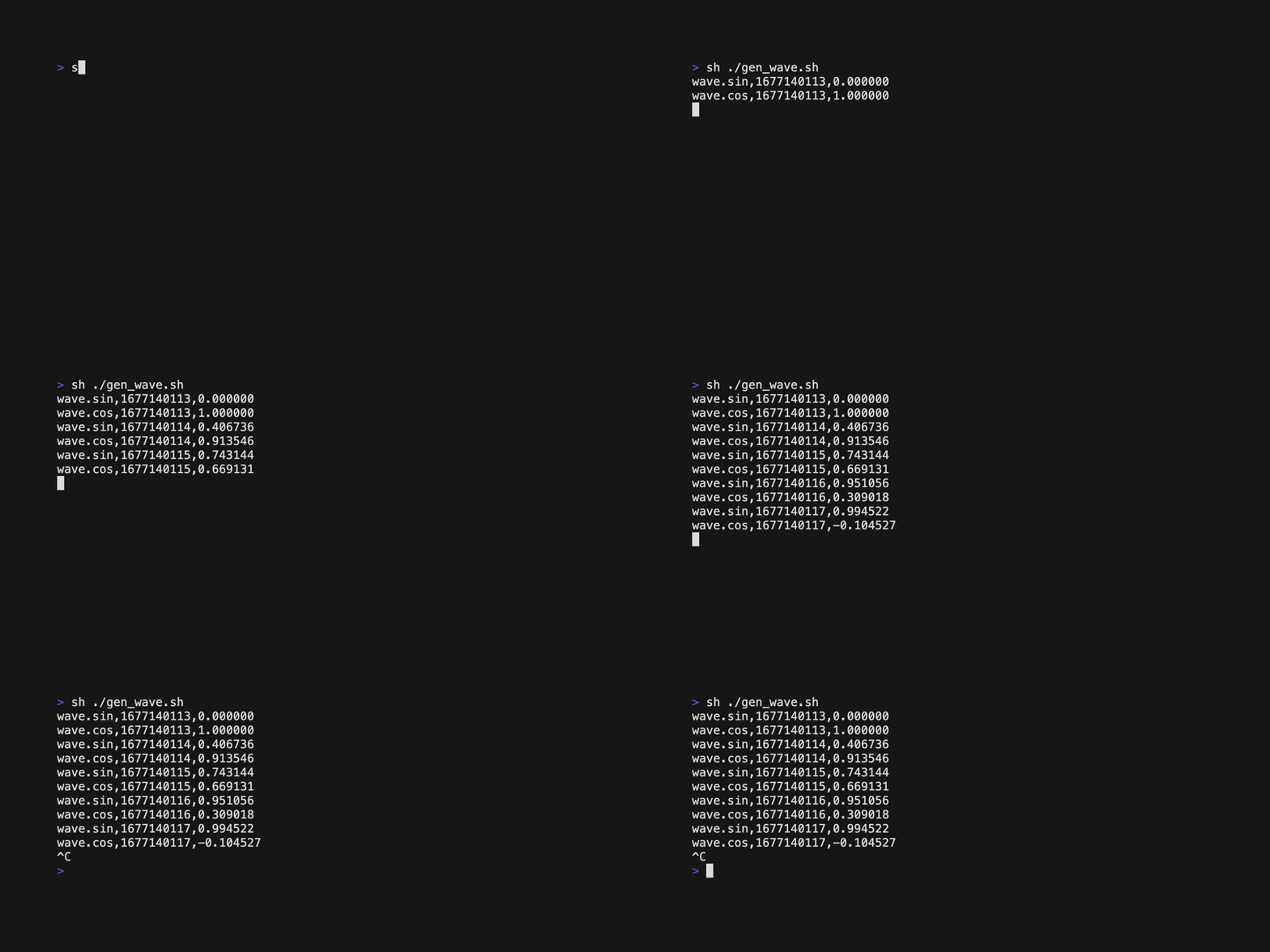
출력 CSV의 컬럼 순서는 테이블 구조에 맞춰야 합니다.
테이블 구조는 다음 명령으로 확인할 수 있습니다.
machbase-neo shell desc EXAMPLEdesc <table> 서브커맨드는 테이블 정보를 보여 줍니다.
TABLE    EXAMPLE
TYPE     Tag Table
TAGS     wave.cos, wave.sin
┌───┬───────┬──────────┬────────┐
│ # │ NAME  │ TYPE     │ LENGTH │
├───┼───────┼──────────┼────────┤
│ 1 │ NAME  │ varchar  │    100 │
│ 2 │ TIME  │ datetime │      8 │
│ 3 │ VALUE │ double   │      8 │
└───┴───────┴──────────┴────────┘
CSV를 테이블에 가져올 때는 컬럼 순서와 데이터 타입을 반드시 테이블 정의와 일치시켜야 합니다.
스크립트와 명령어 결합
이제 스크립트 출력을 machbase-neo shell 입력으로 사용할 수 있습니다.
sh gen_wave.sh | machbase-neo shell import --timeformat=s EXAMPLEmachbase-neo는 모든 타임스탬프를 나노초 단위로 다룹니다. 하지만 셸 스크립트는
date 명령으로 초 단위 타임스탬프를 생성하므로
--timeformat 옵션으로 CSV 데이터의 시간이 초 단위임을 명시해야 합니다.자세한 내용은
machbase-neo shell help timeformat을 참고해 주세요.A each line of CSV that are generated by shell script is processed in machbase-neo shell import then “import” into EXAMPLE table.
동일한 방식으로 직접 데이터를 입력할 수도 있습니다.
echo "wave.pi,1674860125,3.141592" | machbase-neo shell import -t s EXAMPLEor
echo "wave.pi,`date +%s`,3.141592" | machbase-neo shell import -t s EXAMPLE이제 최신 값을 조회해 보겠습니다.
machbase-neo shell "select * from EXAMPLE where NAME='wave.pi' order by time desc limit 1"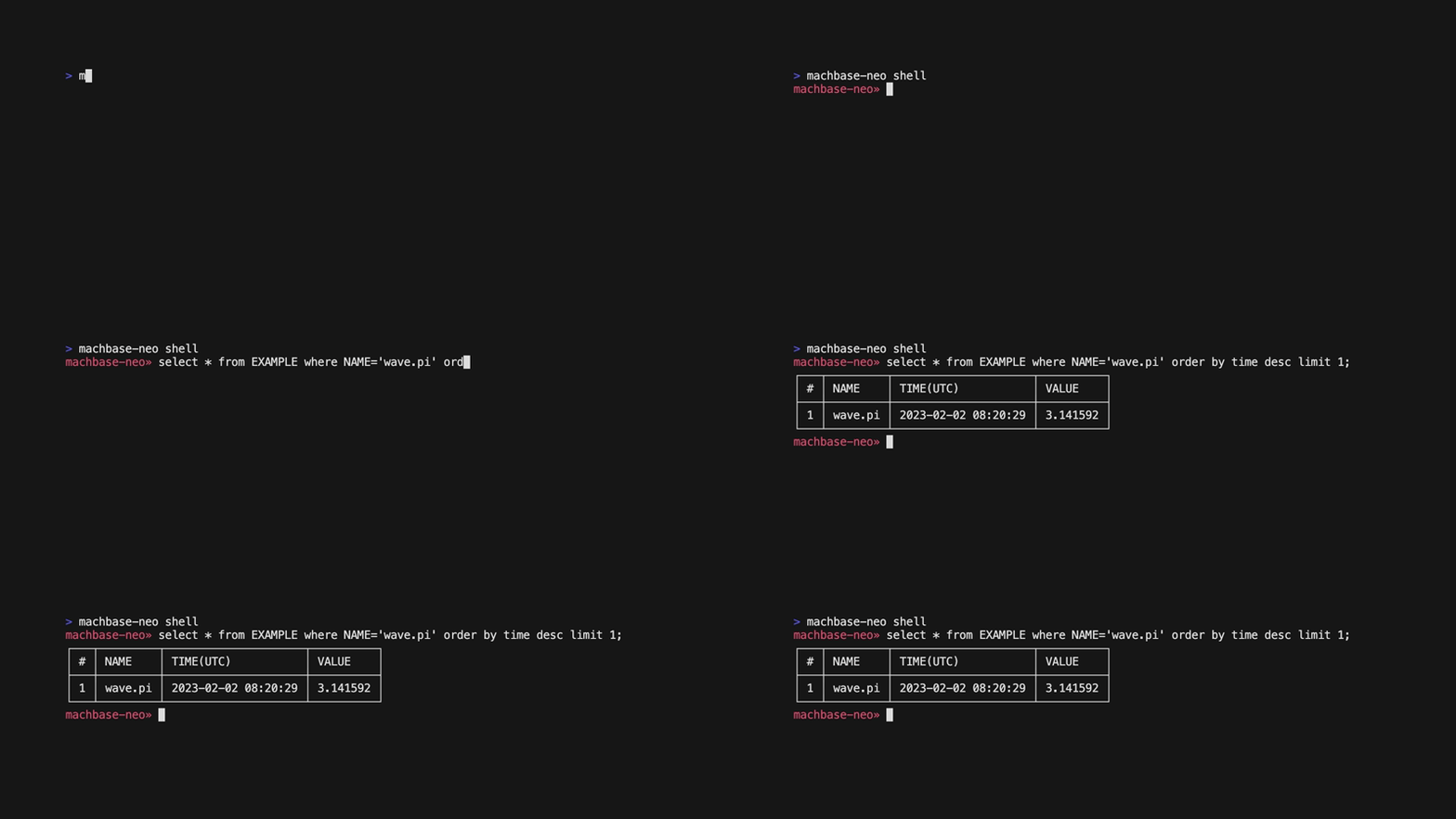
데이터 읽기
SQL 쿼리
스크립트가 실행 중인 동안…
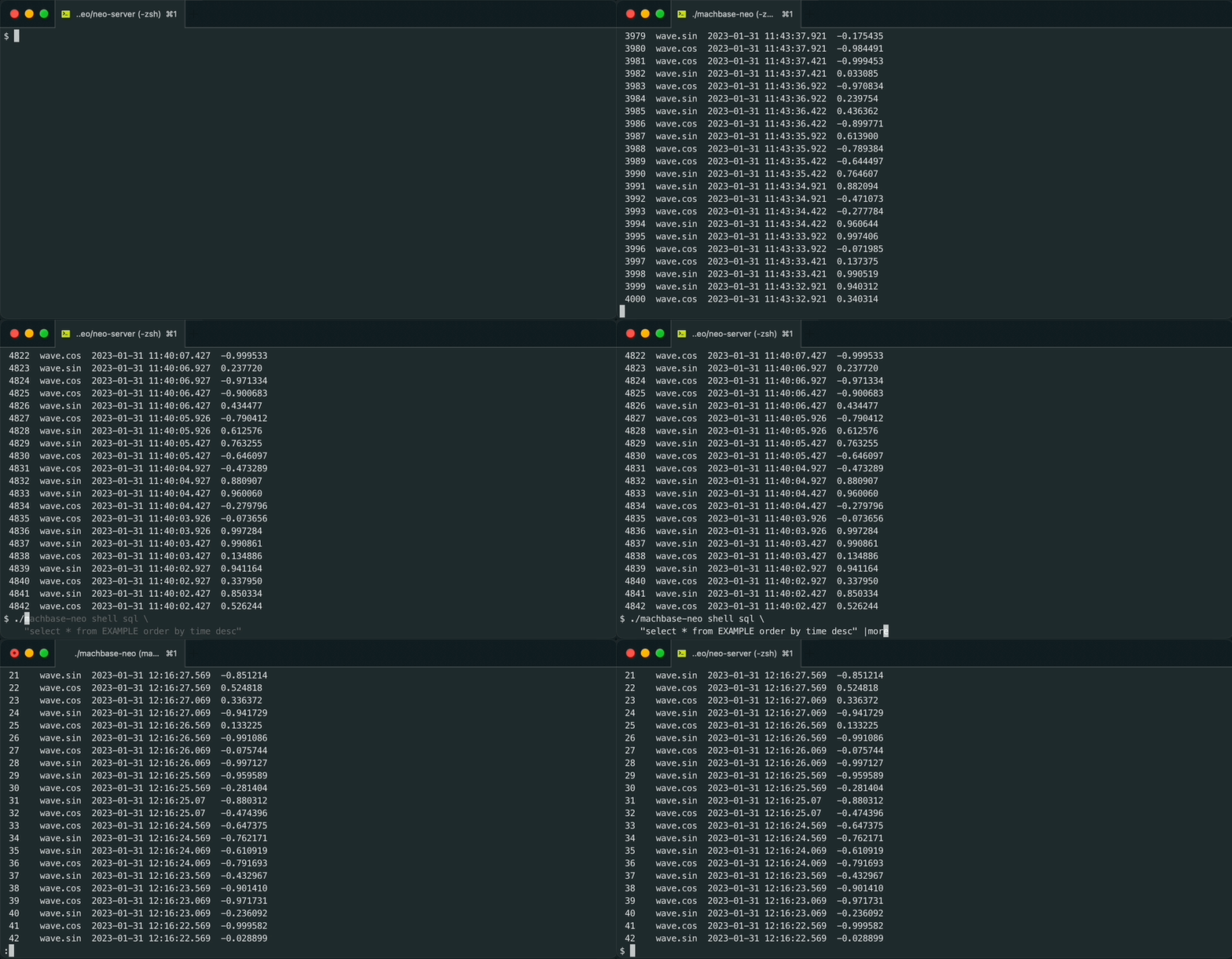
sh gen_wave.sh | machbase-neo shell import --timeformat=s EXAMPLESQL 쿼리로 데이터를 출력합니다.
machbase-neo shell "select * from EXAMPLE order by time desc" # NAME TIME(UTC) VALUE
────────────────────────────────────────────────
1 wave.sin 2023-01-28 14:03:59 0.214839
2 wave.cos 2023-01-28 14:03:59 -0.976649
3 wave.sin 2023-01-28 14:03:58 0.593504
4 wave.cos 2023-01-28 14:03:58 -0.804831
...
위 예제에서 machbase-neo shell 명령에 sql 서브커맨드를 명시하지 않았지만 쿼리가 정상 수행되었습니다.
이는 추가 인자나 옵션이 없을 경우 기본적으로 sql 서브커맨드를 사용하는 동작 때문입니다.
즉, machbase-neo shell "select..."는 machbase-neo shell sql "select..."와 같습니다.
옵션을 함께 사용할 때는 아래처럼 sql 서브커맨드를 명시해 주는 것이 좋습니다.
machbase-neo shell sql \
    --tz America/Los_Angeles \
    "select * from EXAMPLE order by time desc limit 4"
# NAME TIME(AMERICA/LOS_ANGELES) VALUE
───────────────────────────────────────────────────
1 wave.sin 2023-01-28 06:03:59 0.214839
2 wave.cos 2023-01-28 06:03:59 -0.976649
3 wave.cos 2023-01-28 06:03:58 -0.804831
4 wave.sin 2023-01-28 06:03:58 0.593504machbase는 시간을 기본적으로 UTC로 표시합니다.
다른 시간대로 표시하려면 --tz 옵션을 사용하십시오.
local 또는 Europe/Paris와 같은 TZ 데이터베이스 문자열을 사용할 수 있습니다.
machbase-neo shell sql \
    --tz local \
    "select * from EXAMPLE order by time desc limit 4"
# NAME TIME(LOCAL) VALUE
─────────────────────────────────────────────
1 wave.sin 2023-01-28 23:03:59 0.214839
2 wave.cos 2023-01-28 23:03:59 -0.976649
3 wave.cos 2023-01-28 23:03:58 -0.804831
4 wave.sin 2023-01-28 23:03:58 0.593504Query Output format
JSON
Use --format json option
machbase-neo shell sql \
    --format json \
    "select * from EXAMPLE order by time desc limit 4"
{
"data": {
"columns": ["ROWNUM","NAME","TIME(UTC)","VALUE"],
"types": ["string","string","datetime","double"],
"rows": [
[1,"wave.sin","2023-01-28 14:03:59",0.214839],
[2,"wave.cos","2023-01-28 14:03:59",-0.976649],
[3,"wave.cos","2023-01-28 14:03:58",-0.804831],
[4,"wave.sin","2023-01-28 14:03:58",0.593504]
]
}
}CSV
Use --format csv option
machbase-neo shell sql  \
    --format csv \
    "select * from EXAMPLE order by time desc limit 4"
#,NAME,TIME(UTC),VALUE
1,wave.sin,2023-01-28 14:03:59,0.214839
2,wave.cos,2023-01-28 14:03:59,-0.976649
3,wave.cos,2023-01-28 14:03:58,-0.804831
4,wave.sin,2023-01-28 14:03:58,0.593504Use --no-heading option to exclude the first line header
machbase-neo shell sql \
    --format csv \
    --no-heading \
    "select * from EXAMPLE order by time desc limit 4"
1,wave.sin,2023-01-28 14:03:59,0.214839
2,wave.cos,2023-01-28 14:03:59,-0.976649
3,wave.cos,2023-01-28 14:03:58,-0.804831
4,wave.sin,2023-01-28 14:03:58,0.593504Query Time format
Use --timeformat option to specify time output format.
Execute help timeformat to display pre-defined formats and syntax for custom format.
machbase-neo shell help timeformatPre-defined timeformats
| Name | Format |
|---|---|
| Default,- | 2006-01-02 15:04:05.999 |
| ns, us, ms, s | (UNIX epoch in nano-, milli-, micro-, seconds as int64) |
| Numeric | 01/02 03:04:05PM ‘06 -0700 |
| RFC822 | 02 Jan 06 15:04 MST |
| RFC850 | Monday, 02-Jan-06 15:04:05 MST |
| RFC3339 | 2006-01-02T15:04:05Z07:00 |
| Kitchen | 3:04:05PM |
| Stamp | Jan _2 15:04:05 |
| …(there are more)… | Please consult machbase-neo shell help timeformat |
Try --timeformat numeric format.
machbase-neo shell sql \
    --timeformat numeric \
    "select * from example where name='wave.sin' order by time desc limit 1"
# NAME TIME(UTC) VALUE
───────────────────────────────────────────────────
1 wave.sin 01/28 02:03:59PM '23 +0000 0.214839-t is a shorten alias of --timeformat
machbase-neo shell sql \
    -t ms \
    "select * from example where name='wave.sin' order by time desc limit 1"
# NAME TIME(UTC) VALUE
──────────────────────────────────────
1 wave.sin 1674914639000 0.214839Custom time format
It is also possible your own custom format.
machbase-neo shell sql \
    --timeformat "2006.01.02 (15:04:05.000)" \
    "select * from example where name='wave.sin' order by time desc limit 1"
# NAME TIME(UTC) VALUE
────────────────────────────────────────────────────
1 wave.sin "2023.01.28 (14:03:59.000)" 0.214839| Value | Symbol |
|---|---|
| year | 2006 |
| month | 01 |
| day | 02 |
| hour | 03 or 15 |
| minute | 04 |
| second | 05 or with sub-seconds ‘05.999’ or ‘05.000’ |
Combine time format and time zone
machbase-neo shell sql \
    --tz Europe/Paris \
    --timeformat "2006.01.02 (15:04:05.000)" \
    "select * from example where name='wave.sin' order by time desc limit 1"
# NAME TIME(EUROPE/PARIS) VALUE
────────────────────────────────────────────────────
1 wave.sin "2023.01.28 (15:03:59.000)" 0.214839s,ms,us and ns formats are represents UNIX epoch time.
If one of these formats are used, --tz option is ignored.
Because epoch time is always in UTC.