HTTP API
The machbase-neo provides two main functions via HTTP API.
One is query that can execute any type of SQL statements, the other is write that is equivalent INSERT INTO... SQL statement.
General purpose of HTTP API is exposing functionalities that access the data stored in machbase database for the user’s service applications and data analytics tools, while sensors and things are storing data into machbase via MQTT and HTTP.

Endpoints
Applications and sensors can read/write data via HTTP API.
Database Query
| Method | Path | Description |
|---|---|---|
| GET | /db/query | execute query with q param |
| POST | /db/query | execute query with JSON and form data |
Database Write
| Method | Path | Description |
|---|---|---|
| POST | /db/write | write data in JSON and CSV formats |
| POST | /metrics/write | write data in ILP (influx line protocol) |
API Token Validation
| Method | Path | Description |
|---|---|---|
| POST | /db/token/validate | Validate the API token in Authorization: Bearer <token> and return the user applied to database requests made with that token. A Bearer header is required regardless of the token-authentication setting. |
TQL Endpoints
| Method | Path | Description |
|---|---|---|
| GET | /db/tql/{tql_file_path} | execute the tql file that specified by path |
| POST | /db/tql/{tql_file_path} | execute the tql file with the payload of the request |
| POST | /db/tql | execute the tql which is passed as the payload of the request |
| POST | /db/tql?$={tql_script} | execute the tql which is passed in query param $ with the payload of the request
Since v8.0.17 |
Testing HTTP API
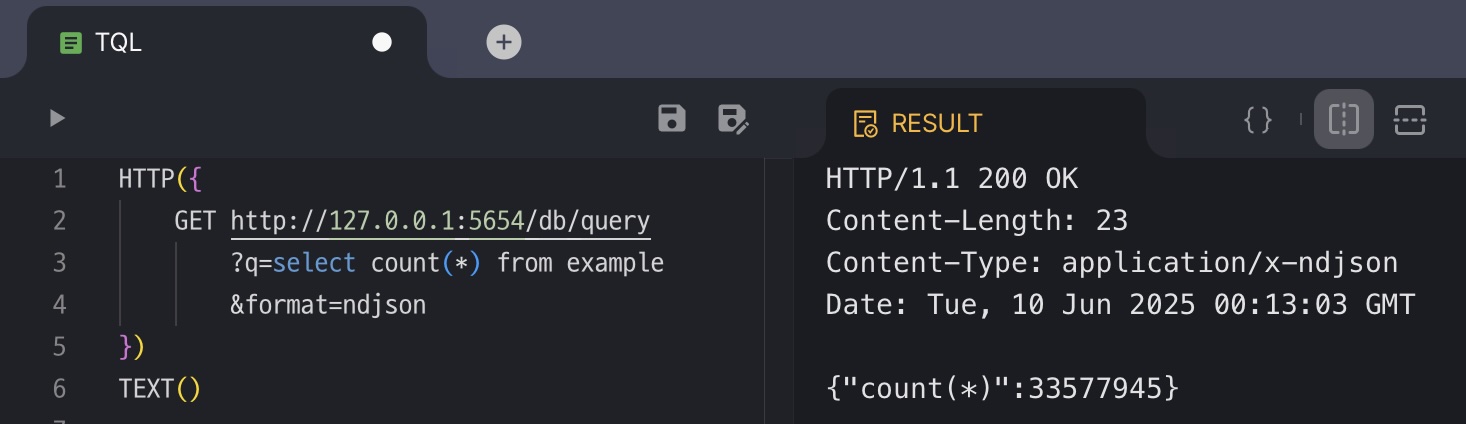
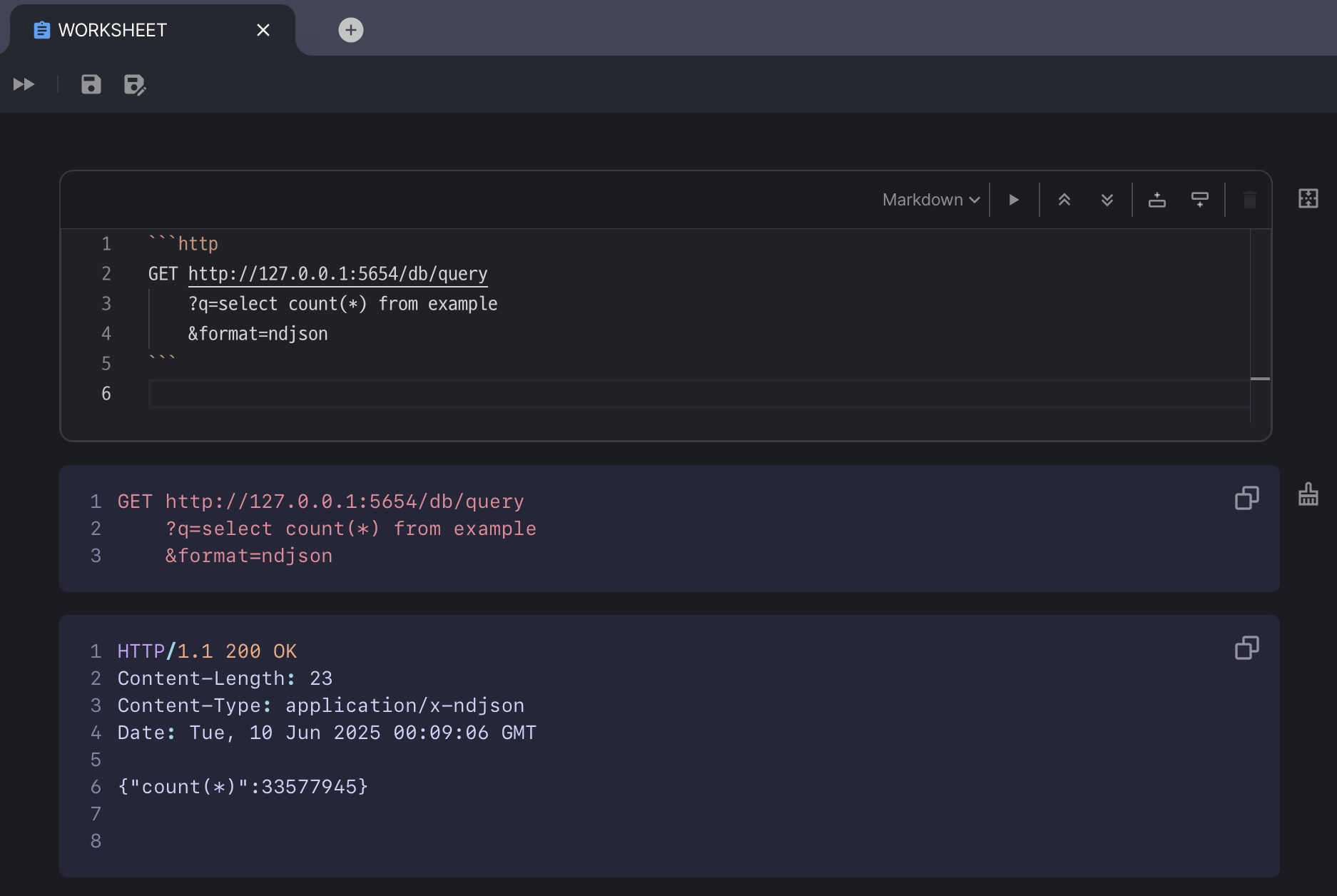
Machbase-neo WEB UI includes a built-in REST API client that allows you to test HTTP APIs directly within markdown and TQL, as shown in the following examples.
Token authentication is enabled by default in machbase-neo (
--http-enable-token-auth true). When it is enabled, requests without an authentication token receive a401 Unauthorizedresponse with the message{"reason":"missing authorization token","success":false}. Before running the examples below, follow API Security to obtain an API token, then add theAuthorization: Bearer <API_TOKEN>header to each request.
- Markdown in Worksheet.
```http
GET http://127.0.0.1:5654/db/query
    ?q=select count(*) from example
    &format=ndjson
Authorization: Bearer <your token>
```
- TQL
HTTP({
    GET http://127.0.0.1:5654/db/query
        ?q=select count(*) from example
        &format=ndjson
    Authorization: Bearer <your token>
})
TEXT()