Custom shell
User can customize command line shell and open it in the web ui.
Open a SHELL on the web ui or run machbase-neo shell on the terminal, and use shell command to add/remove custom shell.
In this example, we are going to show how to add a user-defined shell that invokes /bin/bash (or /bin/zsh) for *nix users and cmd.exe for Windows users. You may add any programming language’s REPL, other database’s command line interface and ssh command that connects to your servers for example.
Add a custom shell
Register a custom shell
Select the
 icon in the left menu.
Click the
 icon on the panel title row.
Enter a display name in
Name, give the executable’s absolute path and arguments inCommand, then clickCreate. For example, to register zsh on macOS, enter/bin/zsh -il.
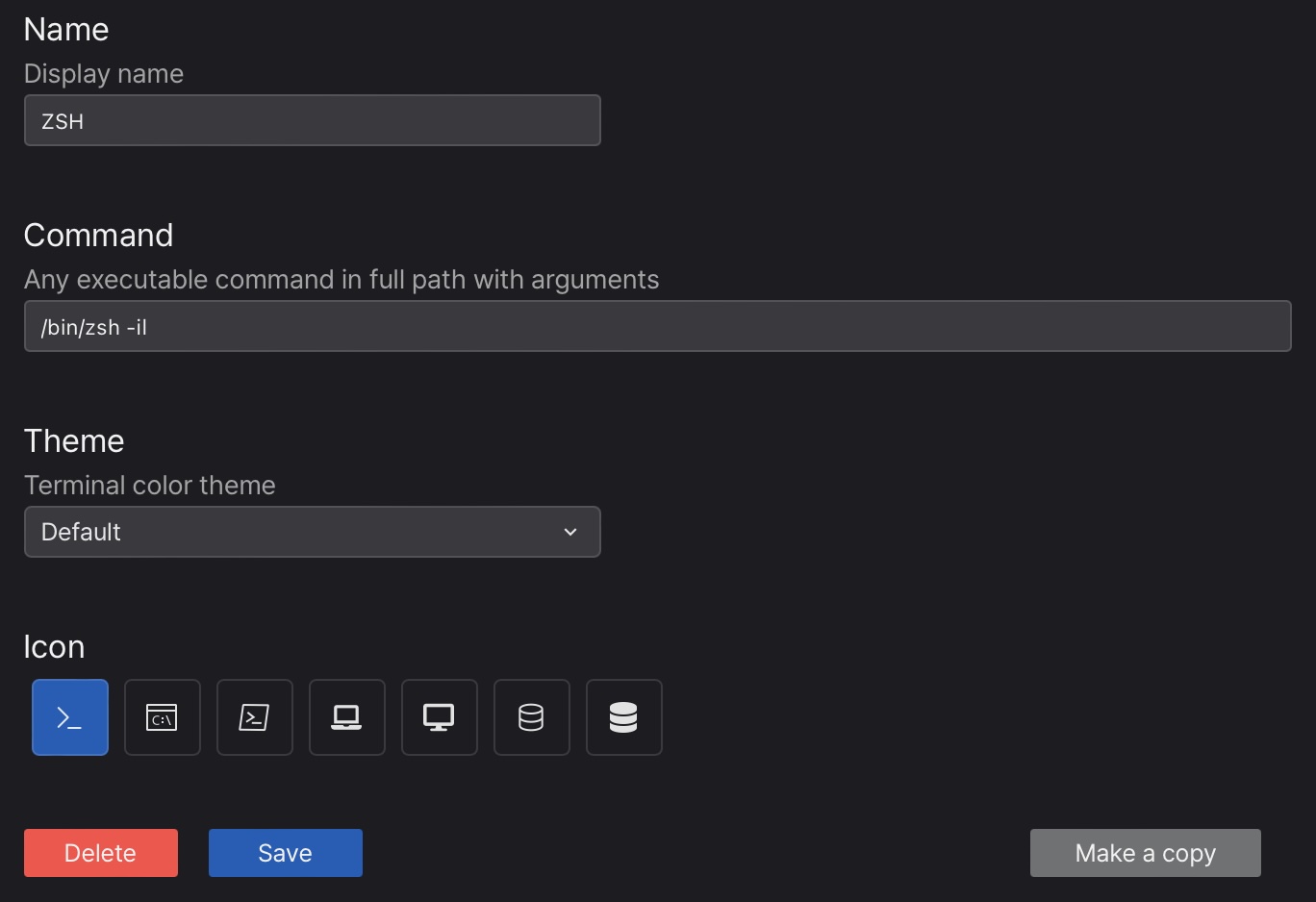
- Name: display name (max 16 characters;
SHELLis reserved) - Command: any executable command in full path with arguments
- Theme: terminal color theme
- Icon: the icon shown on the tab
Any terminal program can be the custome “Command”, for example…
- Windows Cmd.exe:
C:\Windows\System32\cmd.exe - Linux bash:
/bin/bash - PostgreSQL Client on macOS:
/opt/homebrew/bin/psql postgres
Use the custom shell
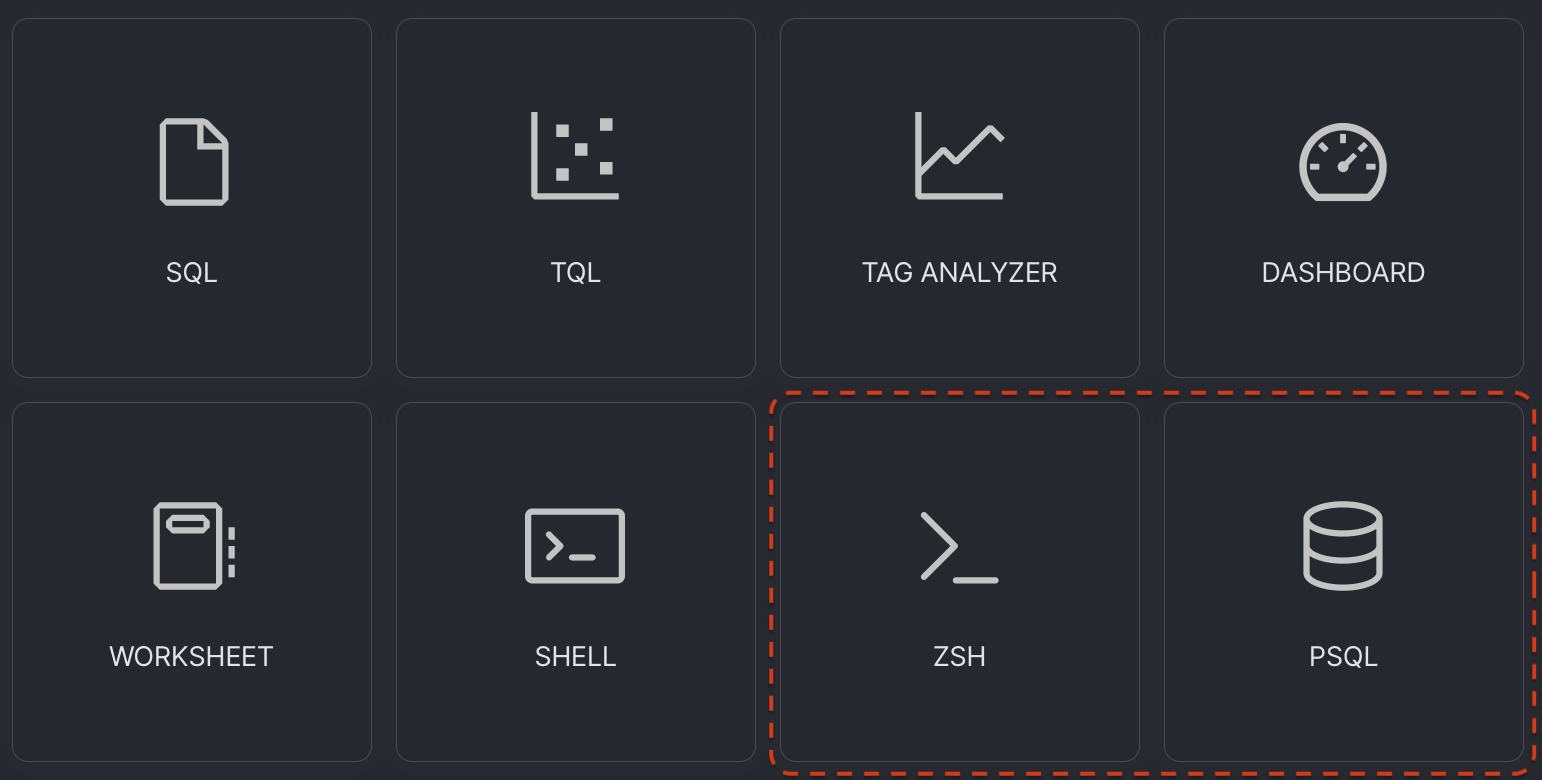
- Main editor area: the registered shell appears as a card on the new tab screen. Select the card to open it in the main editor area.
- Console area: click
 on the console title row and select the registered shell from the list. It opens as a new tab in the console.

Command line
The custom shells are manageably with machbase-neo shell command line interface.
Add new custom shell
Use shell add <name> <command and args>. You can give a any name and any executable command with arguments, but the default shell name SHELL is reserved.
machbase-neo» shell add bashterm /bin/bash;
added
machbase-neo» shell add terminal /bin/zsh -il;
addedmachbase-neo» shell add console C:\Windows\System32\cmd.exe;
addedShow registered shell list
machbase-neo» shell list;
┌────────┬────────────────────────────┬────────────┬──────────────┐
│ ROWNUM │ ID                         │ NAME       │ COMMAND      │
├────────┼────────────────────────────┼────────────┼──────────────┤
│      1 │ 11F4AFFD-2A9B-4FC5-BB20-637│ BASHTERM   │ /bin/bash    │
│      2 │ 11F4AFFD-2A9B-4FC5-BB20-638│ TERMINAL   │ /bin/zsh -il │
└────────┴────────────────────────────┴────────────┴──────────────┘
Delete a custom shell
machbase-neo» shell del 11F4AFFD-2A9B-4FC5-BB20-637;
deleted